Safely manage Final Cut Pro generated media.
FCP Cleaner helps editors identify removable render files, proxy media, optimized media and cache data inside Final Cut Pro libraries.
Original media is never removed automatically. Scans are performed locally on your Mac.
Security & Transparency
Built for professional macOS workflows.
FCP Cleaner was designed for editors working with professional Final Cut Pro libraries on local drives, external SSDs and larger storage environments.
Apple Notarized
FCP Cleaner is signed with an Apple Developer ID and notarized by Apple for macOS.
Local Analysis
Your Final Cut Pro libraries are analyzed locally on your Mac. No library content is uploaded to a cloud service.
Original Media Protection
FCP Cleaner focuses on generated media. Original imported media is never removed automatically.
Why FCP Cleaner?
Understand what is consuming space inside your Final Cut Pro libraries.
Final Cut Pro automatically creates generated media while editing. Render files, proxy media, optimized media and analysis files can grow silently over time — especially in larger or older libraries.
Full Transparency
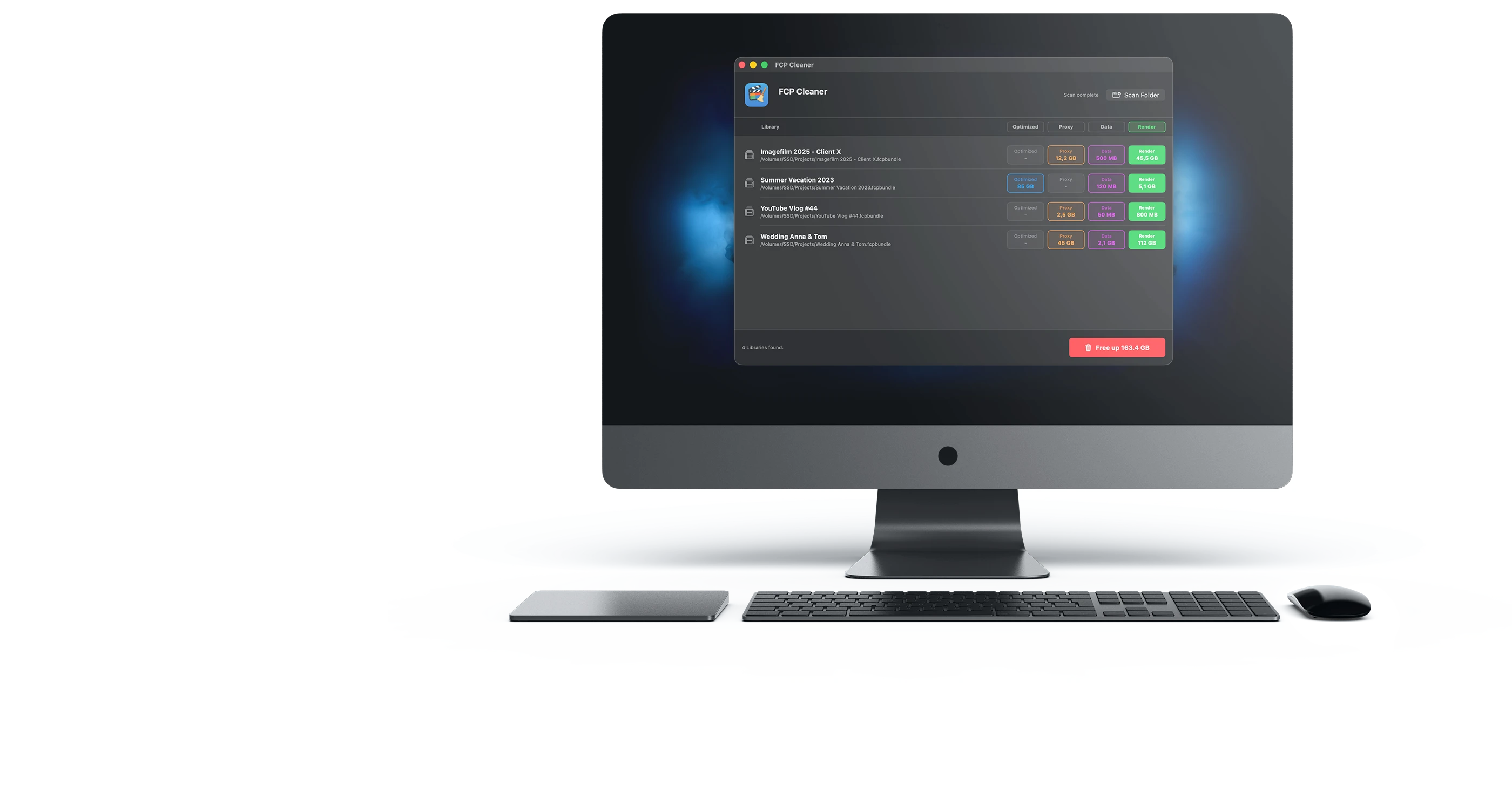
The app shows how much space render files, proxy media and optimized media are taking up before you decide what to remove.
Safe Workflow
FCP Cleaner helps you review generated files before cleanup. Your valuable original media is not targeted by automatic deletion.
Native Performance
Built with Swift for macOS and optimized for Apple Silicon and Intel-based Macs.
Generated media management for Final Cut Pro libraries.
Manually browsing Final Cut Pro library packages in Finder can be confusing and risky. FCP Cleaner helps identify supported generated media categories that Final Cut Pro can recreate when needed.
Example Library Analysis
- Final Cut Pro Library 142 GB
- Render Files 86 GB
- Proxy Media 24 GB
- Original Media Protected
Example values are shown for illustration. Actual results depend on your Final Cut Pro libraries.
Expert Mode for Professionals.
Built for editors with projects distributed across external SSDs, RAIDs or other storage volumes. Expert Mode can scan entire drives for Final Cut Pro libraries.
Scan Entire Drives
Instead of manually selecting individual folders, FCP Cleaner can scan selected drives and list detected Final Cut Pro libraries clearly.
Granular Selection
Decide which supported generated media categories to review and remove from selected libraries.
About the Developer
Developed by professional media creators.
FCP Cleaner is developed by ankermann.tv, a German media production company working with professional video production and Final Cut Pro workflows.
Professional Editing Workflows
Designed around real-world Final Cut Pro library management needs.
Large Storage Environments
Useful for editors working with external SSDs, RAIDs and larger project archives.
Native macOS App
Built for macOS with Apple Silicon and Intel Mac support.
Analyze Final Cut Pro generated media safely.
Download the trial version and scan your Final Cut Pro libraries locally on your Mac.
FCP Cleaner
- Trial version available
- Local library analysis
- One-time purchase, no subscription
- Signed and notarized for macOS
What FCP Cleaner does not do
Clear boundaries for a safer workflow.
FCP Cleaner is not a general system optimizer. It is designed specifically for managing supported generated media inside Final Cut Pro workflows.
No system optimization
FCP Cleaner does not modify macOS system files and does not claim to repair or speed up your Mac.
No bundled software
The installer is provided for FCP Cleaner only. It does not include third-party bundled software.
No automatic original media deletion
Original imported media is not removed automatically. Cleanup focuses on generated media categories.